Earth Engine
The Earth Engine connector draws Google Earth Engine datasets over Ghana with your own Earth Engine account, and opens them in the GIS workspace under Ghana's boundaries.
What you need
- A free Ghana Open Data account.
- A Google account registered for Earth Engine, and a Cloud project (for example
ee-yourname). Registration is free for non-commercial and research use at code.earthengine.google.com/register.
Step by step
- Open Tools › Earth Engine (or Earth Engine in the workspace's Ghana Open Data group).
- Type your Cloud project and press Sign in with Google. Approve read-only access to Earth Engine. A warning that Google hasn't verified the app may appear while the site is being verified: choose Continue.
- Choose a dataset and press Draw. Dates and the clip to Ghana's border apply to all of them.
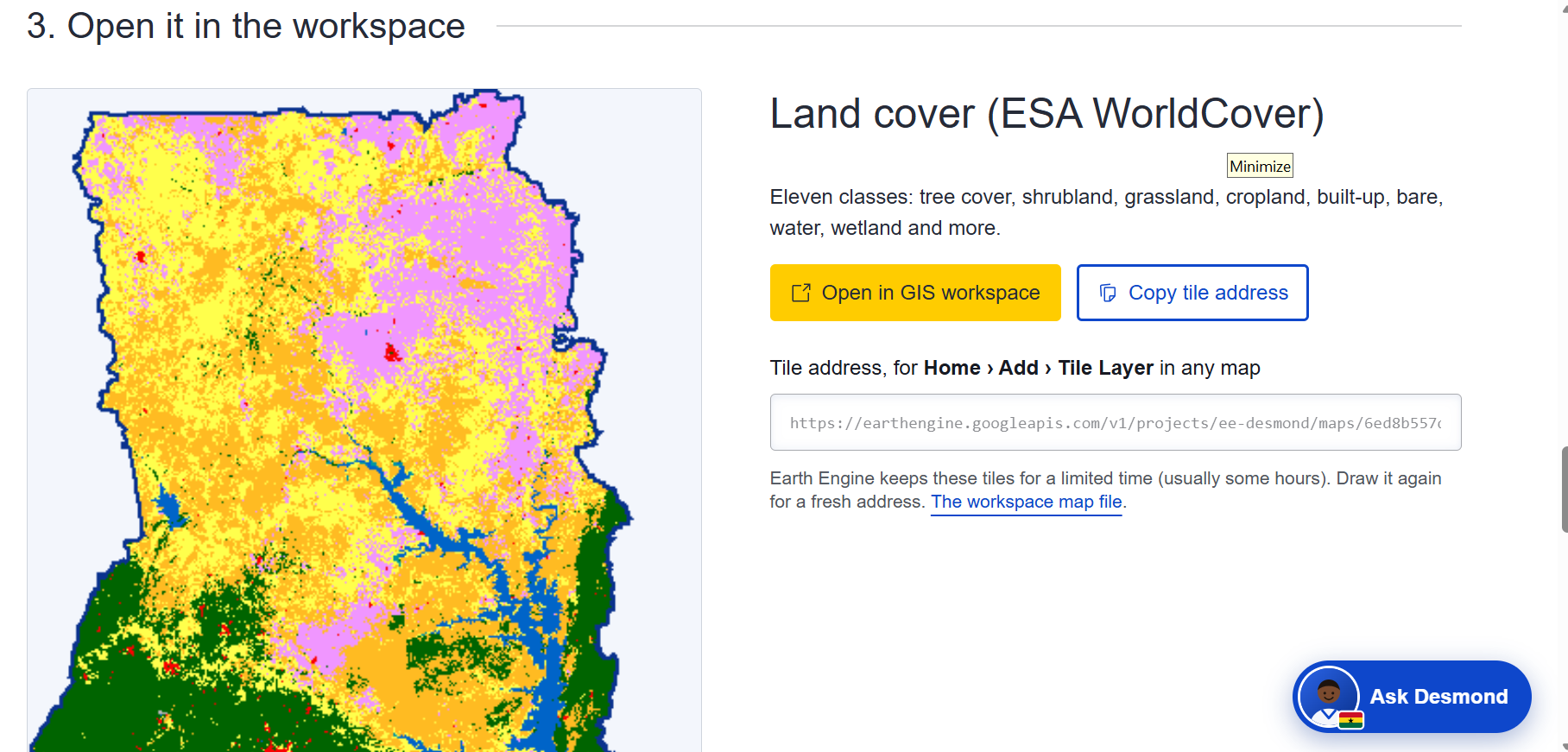
- Look at the preview, then press Open in GIS workspace.
Datasets ready to draw
Cloud-free Sentinel-2, ESA WorldCover land cover, Dynamic World land use, Copernicus elevation, CHIRPS rainfall, Hansen forest loss, JRC surface water, WorldPop population, GHSL built-up surface, VIIRS night lights, MODIS burned area, Landsat surface temperature, HydroSHEDS river basins and urban boundaries. Any other Earth Engine asset can be drawn by its id.
Pictures and values
The map layer is a picture, made for looking. To analyse the numbers behind it (elevation in metres, people per cell, rainfall in millimetres), use Open values in GIS workspace or Download GeoTIFF under the preview: they give the real values, clipped to Ghana, which the workspace's raster tools (zonal statistics, reclassify, raster calculator) work on, as do QGIS, R and Python. See Analysis-ready data.
Tiles expire
Earth Engine keeps a drawn layer's tiles for a limited time, usually some hours. Draw it again for a fresh layer, or download the values to keep them.
Questions and comments
Ask a question, report a problem with this page or share how you used the data. You need a free GitHub account to post.